As an independent developer, I frequently need to publish content on various social media platforms, which often requires using screen recording tools to capture my screen.
However, this presents a specific challenge: I need a clean desktop environment during the recording process. Specifically, I need to accomplish three things:
-
Hide desktop files to prevent any privacy leaks.
-
Hide desktop widgets to avoid unnecessary distractions.
-
Hide the Dock to ensure no interface elements interfere with the recording.
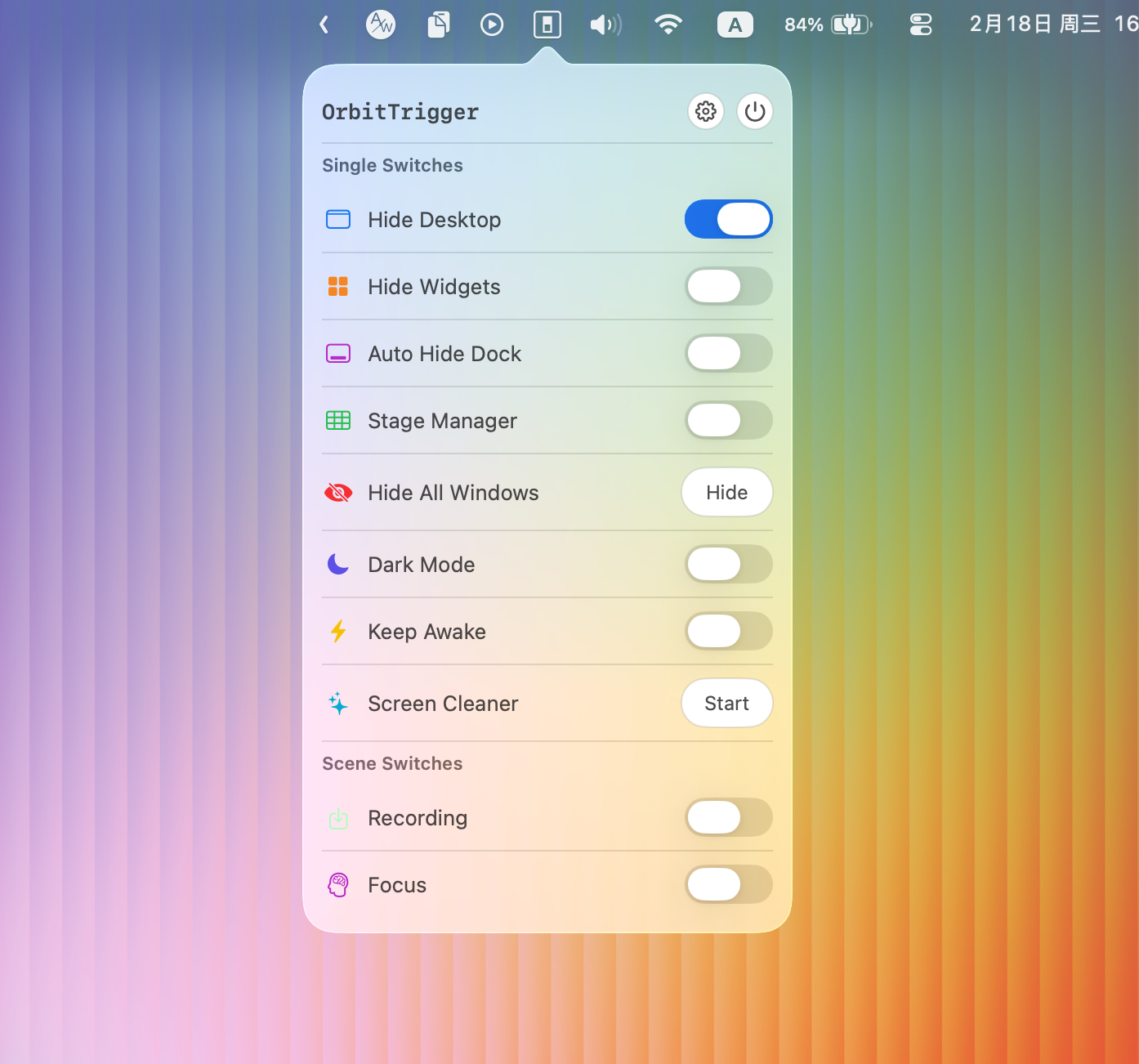
All of the above operations can be performed through the macOS Control Center, but they are quite scattered. The operation to hide desktop icons is not easy to find and may require entering commands in Terminal.
Therefore, I created a new macOS app called OrbitTrigger.
What is OrbitTrigger?
OrbitTrigger is a small utility that runs in the macOS menu bar. it provides a wide range of customizable switches for managing system configurations.
Examples of these features include:
- Toggling the visibility of desktop icons.
- Showing or hiding desktop widgets.
- Activating the macOS “Keep Awake” (Caffeine) state.
- A dedicated “Screen Cleaning Mode” that locks the keyboard and screen to make it easier to wipe down your MacBook.
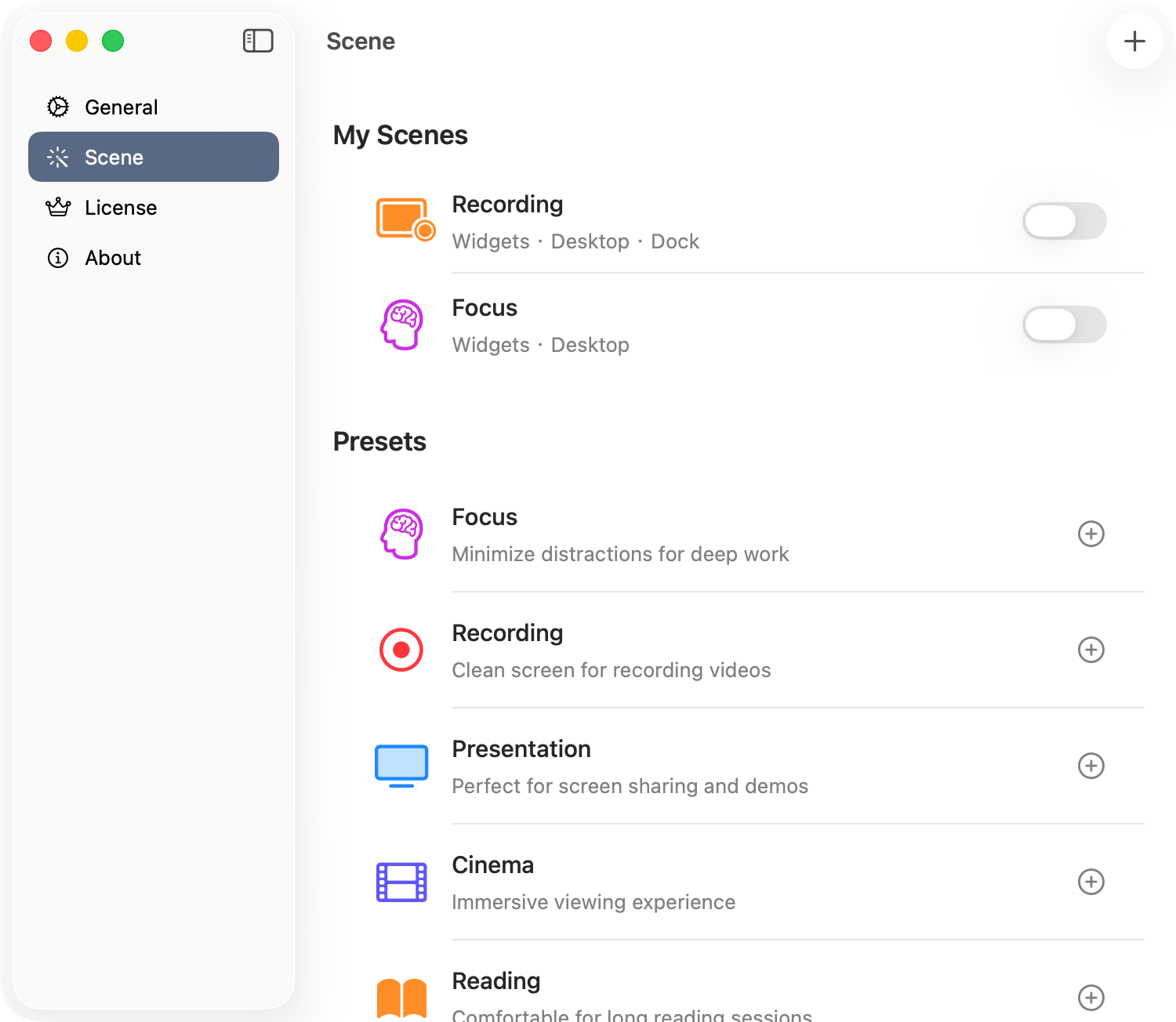
Building on these individual switches, I have also added a “Scene” feature. This allows you to aggregate and configure multiple switches simultaneously, enabling a single toggle to control various functions at once.
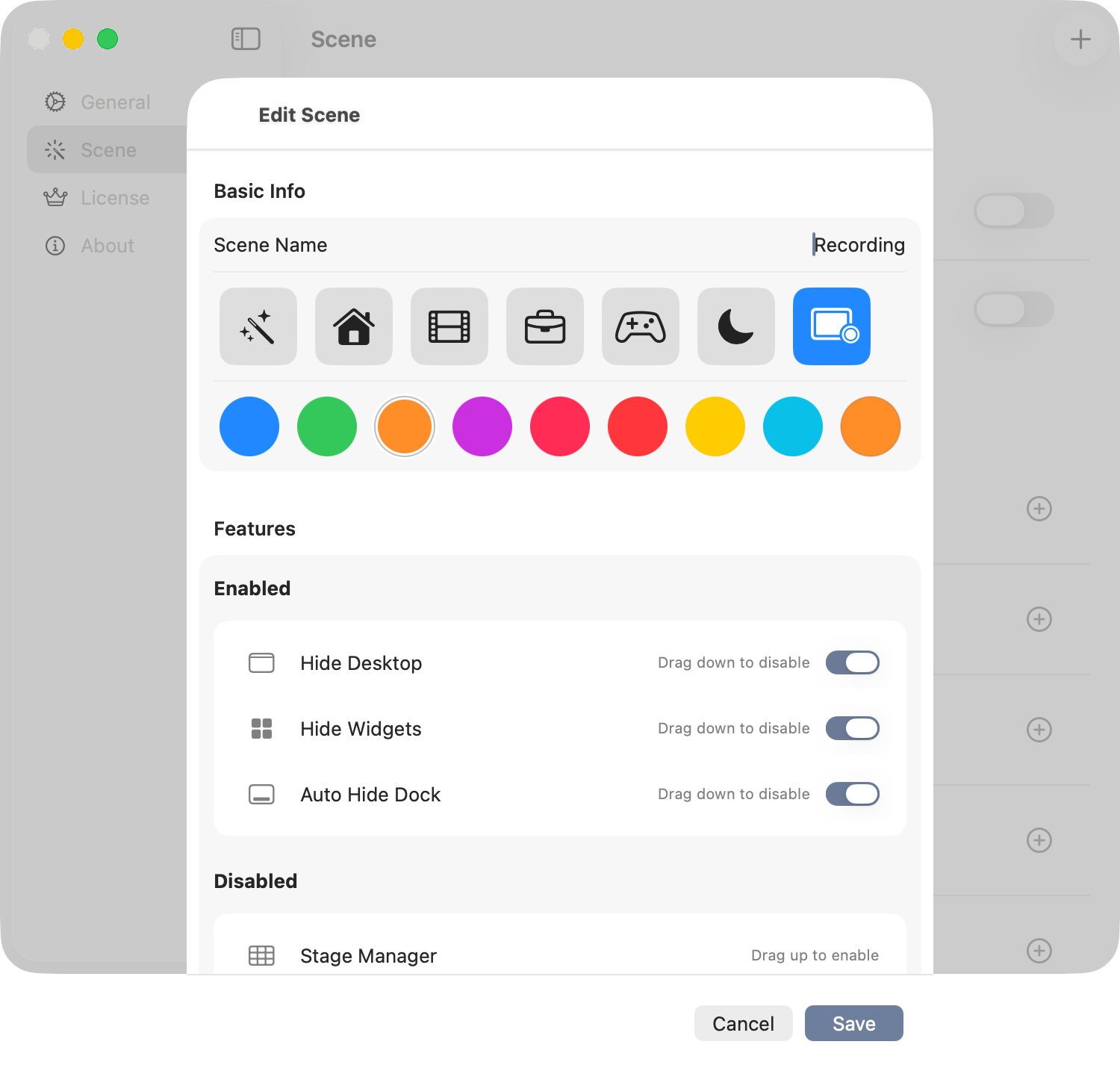
I configure a custom recording workflow called “Recording” using a Sync. When I toggle this Sync on, I can complete all hiding and configuration steps with a single click.
This allows me to immediately enter a state ready for screen recording, which is extremely convenient. Once the recording is finished, I can simply turn off the Sync to return the entire workspace to its normal, everyday state.
Why I choose to create this application myself?
There are many open-source and commercial toggle applications on the market, but they don’t fully meet my requirements. At the same time, I have some unique ideas of my own.
I have always enjoyed creating features tailored to my own needs, and I am more than happy to open them up for my users to enjoy as well.
OrbitTrigger, as the latest addition to the Orbit family (referring to it as a “new work”), perfectly fills the gaps in my daily workflow and helps me get my work done more effectively.